
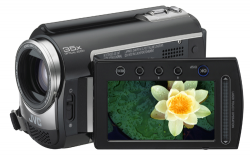
 Algunas cámaras de vídeo digitales utilizan un formato ‘.MOD’ para grabar sus vídeos. Este formato no es más que un vídeo mpg con el audio codificado de manera no estándar, es decir, que el vídeo es MPEG2 y el audio AC3. Esta extraña combinación provoca que en este tipo de vídeos, si no disponemos de las herramientas adecuadas, el vídeo se vea perfectamente pero que no haya sonido.
Mac users have an added problem that Windows users do not have: the codecs we need are proprietary and Apple sells them at the unaffordable price of $20. The codec is the MPEG2 Playback Plugin for Quicktime although luckily for some and unfortunately for Apple, you can always try to get it in other ways.
Once the plugin is installed, we must install the program MPEG StreamClip (which is free) to convert the ‘MOD’ file to another more friendly format, such as ‘mpg4’ or ‘AVI’. Once this is done, we can manipulate it with iMovie, FinalCut, or whatever program we want. It is a simple process and the results are acceptable.
Windows users will not have the problem with the Apple codec, although they will have a problem with the video headers, which are the ones that indicate the video’s size, aspect ratio, and vib rate, since in MOD files they do not appear and are saved in a file of the same name but with the MOI extension. But we have to be positive, because the camera probably comes with a disk with programs to edit or convert our videos without worrying about headers and strange things. Still, we can try alternatives with Unlead VideoStudio, Magix or Womble Video Wizard.
You can find more detailed information at MasterWebMedia, where they also tell us about other alternatives to edit MOD files.
Comments are provided by Disqus. When you load them, Disqus may use cookies and process data such as your IP address.
Disqus privacy policy