
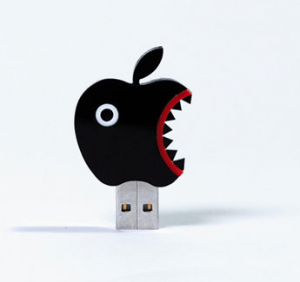
 Si estudias en la Universidad, utilizas Windows y sueles usar tu lápiz USB en los ordenadores públicos, lo más probable es que ya seas víctima del famoso “virus de los lápices USB”. Una simple tarea como descargar unas transparencias de clase y pasarlas a vuestro USB es suficiente para infectar vuestro ordenador con este molesto virus, un virus que han padecido prácticamente todos mis compañeros. Por suerte, existe una cura.
First of all, we must take into account that several cases can occur. We may have the USB infected and not the computer, or both. Below I will detail how to disinfect each one.
Disinfect the USB stick
If you use Windows XP
It can be done in several ways. The easiest of all is to format the USB by right-clicking on the drive and selecting “Format…” (Be careful, this will delete all the files you have!).
If you don’t want to delete everything on your pen, you can use a simple application that will automatically delete the virus from your USB just by running it, called Flash_Disinfector. Furthermore, in this way we will avoid future infections since in a certain way the USB “vaccinates” you.
If you use Windows 7 or Windows Vista
As if you use Windows XP, you can choose to format your USB or run the program Panda USB Vaccine, which vaccinates both the USB and the computer. It has support for NTFS and every time we insert a USB it will check if it is immunized and if not, it will immunize it.
Update: If you create a folder called autorun.inf on the USB, you will easily avoid infecting your computer, since you will prevent the virus from executing.
If you use Linux or Mac
If you use Linux or Mac (or know someone who does) you can delete the virus by hand directly from their file explorers as if it were any file. We will have to delete a folder with a strange name made up of meaningless letters (like xxxxHDsdkjdhjk) or “Recycler” and also the autorun.inf file.
Disinfect our computer
If our computer is infected, the matter becomes more complicated and we will have to do more things to leave it clean as a whistle.
1. First of all, you have to disable “System Restore” in the Control Panel, because if you don’t, every time a backup is made the virus will also be copied. In Windows 7, System Restore is located in the “Recovery” section.
2. Next, you must download the following programs: Malwarebytes Anti-Malware, Flash_Desinfector and CCleaner.
[caption id=”attachment_3968” align=”aligncenter” width=”600” caption=”We choose Safe Mode from the options”] [/caption]
3. Restart the computer in Safe Mode (Safe Mode). To do this, we will restart the computer and press F8 many times until a menu appears asking us the mode we want (such as when it turns off incorrectly).
4. Run Flash_Disinfector, insert the USB that could have infected the computer and run it again.
5. Scan your computer with Malwarebytes Anti-Malware to check that all viruses have been deleted and that you do not have any that have gone unnoticed.
6. Run the CCleaner cleaner and then scan the registry.
7. Restart your computer and you will exit safe mode.
From now on you should not have any problems with this annoying virus again, although remember that if you format the USB, you will also delete “the cure” created by Flash_Disinfector. Also, as an additional tip, if you think your pen might have the virus, when you insert it into your computer, access it by right-clicking and selecting “Open”, never “Explore” or by double-clicking on the drive, as this is how it infects your computer.
I have prepared the tutorial based on the information from ForoSpyware and after testing it, I assure you that it works.
Comments are provided by Disqus. When you load them, Disqus may use cookies and process data such as your IP address.
Disqus privacy policy