
 Dropbox es una de esas aplicaciones que en cuanto la conoces te encandilas de ella. La conocí hace poco y la verdad, no he parado de usarla desde entonces.
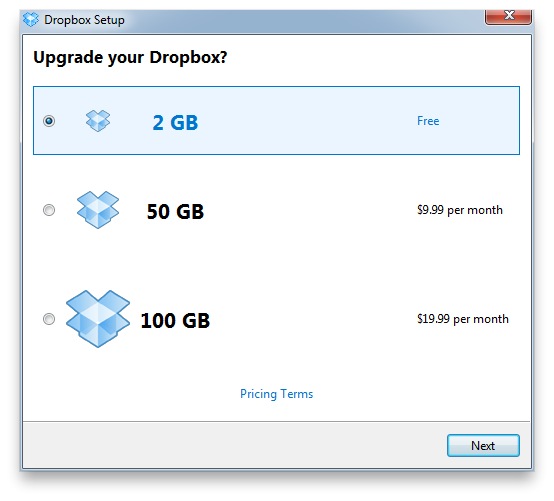
Simply put, Dropbox is an online storage service in which you can upload anything you like. In the main service we are offered 2 GB of free storage and then several payment options for much larger storage (50GB and 100 GB).
You can consider it as a USB stick but through the internet, since everything you put in your Dropbox, you can easily recover it over the network on another computer. For example, I usually use it as a backup for the pen, so if something fails on the USB or I forget to put it in, I just have to log into my Dropbox account, grab it and continue without problems.
The service can be used in two ways:
- Only via the web, using the browser itself which for my taste is very limited.
- The option that I recommend, installing it. The program will be just another folder on our computer.
Right now, Dropbox is offering a 250MB gift to members who sign up through another member’s affiliate link. So if you register through this link, you will get, like me, the 250 MB to add to your account, so you will start with 2.25 GB instead of 2 GB. It’s not much but it’s something.
The program installation process is extremely simple:
- Create an account by clicking here.
- A window will be shown to download the program (both for Windows, Linux and Mac).
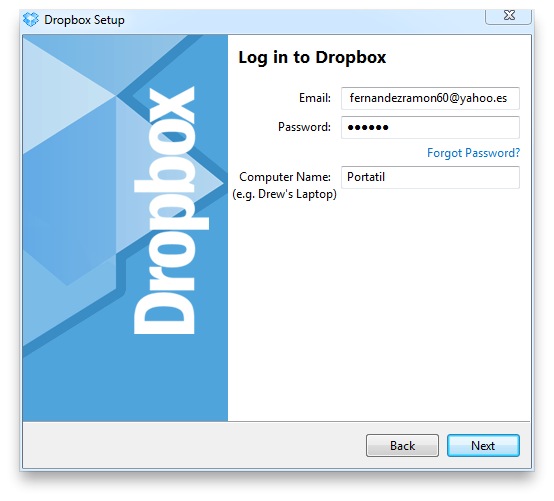
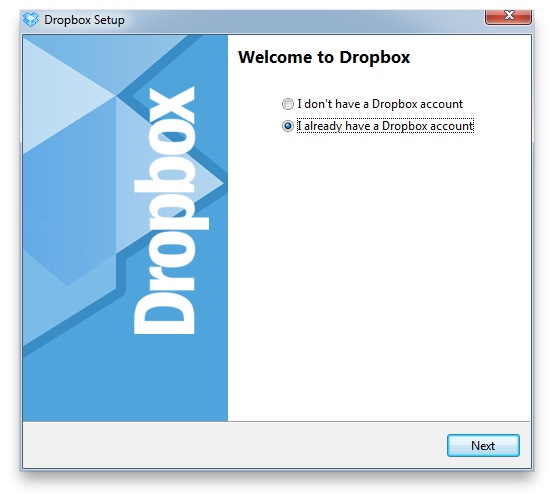 4. When you install it, it asks you if you already have an account or not, click on the option below “I already have a Dropbox account” and enter the account details you created.
  6. You choose the type of storage you want, normally 2 GB which is free.
  8. And finished! You already have a folder on your desktop called Dropbox, in which everything you put will be stored on the server. So you can access it from anywhere with an internet connection.
In addition, there is also the Dropbox client for IPad, IPhone, Blackberry and Android. So all the files that you put in the folder on your computer will be available from your mobile devices as well.
Another great functionality of the program is that you can invite a friend to a shared folder. Everything you put in that folder, your friend will have available the next time they open their Dropbox. Much more convenient than sending emails for example.
As an extra, if you complete 5 of the 6 tasks that Dropbox suggests, you will get another 250 MB as a gift (so if you followed the link above it would already be 2.5 GB of free storage). The steps are extremely simple, and help you learn how the program works.
The 6 tasks are:
- Take the Dropbox tour, in which they explain how the program works.
- Install the program (Which you should already have completed :P).
- Put a file in your Dropbox folder.
- Install the program on other computers you use.
- Share a folder with a friend.
- Invite a friend to Dropbox.
I hope you like the program a lot, and use it as much as I do. The truth is that as soon as you start using it with friends and colleagues it becomes a must have.
Comments are provided by Disqus. When you load them, Disqus may use cookies and process data such as your IP address.
Disqus privacy policy