
Many times, when we upload a photo to Flickr after having edited it with a photographic processing program such as Aperture, Lightroom or Photoshop, we see that the result is not what we expected and we continue modifying the photograph until it becomes nickel-free.
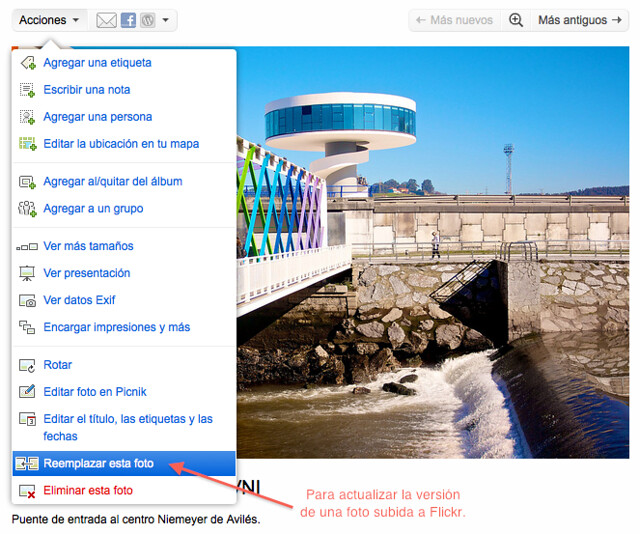
The problem is that Flickr will continue to show the first version we uploaded, the one that did not convince us, while we have a much better one. The solution to this problem is a slightly hidden option that Flickr has, which allows you to replace a photo that we had already uploaded.
To do this, we will only have to click on “Actions” on the photo and select “Replace this photo”.
I hope it helps someone, because the other day I was looking for a way to do it and I couldn’t find it, but today I was doing something else, bam!
Comments are provided by Disqus. When you load them, Disqus may use cookies and process data such as your IP address.
Disqus privacy policy