
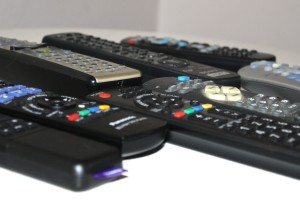
 Los mandos a distancia, esos pequeños aparatos que van llegando a tu casa poco a poco y en poco tiempo tratan de ocupar la mesa del salón por completo.
Surely many of you are familiar with this situation. I was until I met the Logitech Harmony One, a universal remote control with a touch screen that I have completely fallen in love with.
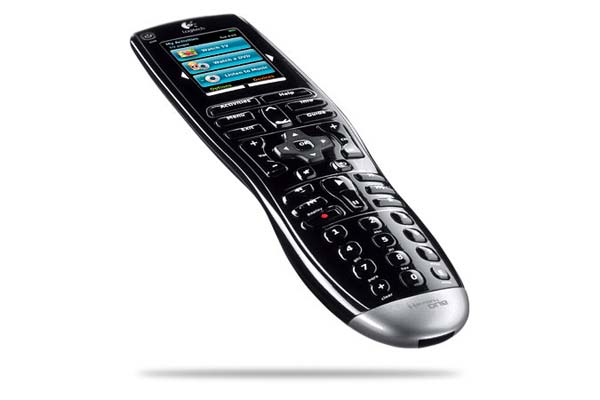
Although it may seem silly, The Logitech Harmony One is not just any of those universal controls that you have to fight with because they only work with a few hundred televisions. With more than 250,000 devices registered in its database, which grows daily, you will surely have no problem registering all the devices in your home in less than 5 minutes. Televisions, sound systems, video game consoles, DVD/Blu-Ray players, DTT tuners, media centers, etc…
Of course the remote works via infrared, so if any of your devices do not allow infrared, you will have to buy an adapter. For example, the PS3 does not support infrared, so you will need an adapter.
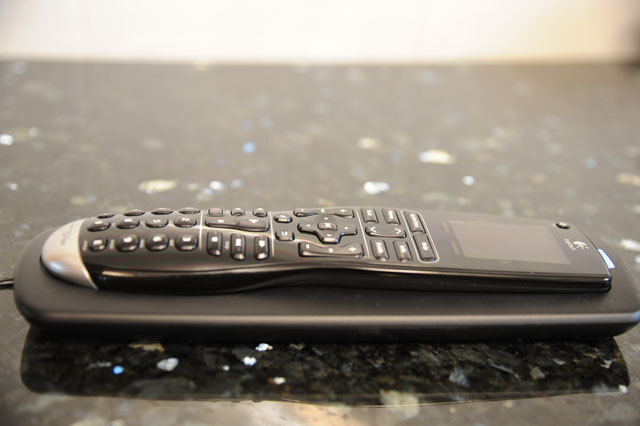
The controller also comes with a base to charge its rechargeable Lithium battery. I can’t say for sure how long the battery lasts exactly, since I usually have it charging continuously, but once I’ve had it outside to test it has lasted without charging for several days. Since the base is similar in size to the controller, it is very comfortable to have it close and every time you put the controller down, use it as a support as well as a charging base. Of course, we will need to have a nearby outlet to connect the charging base to the power.
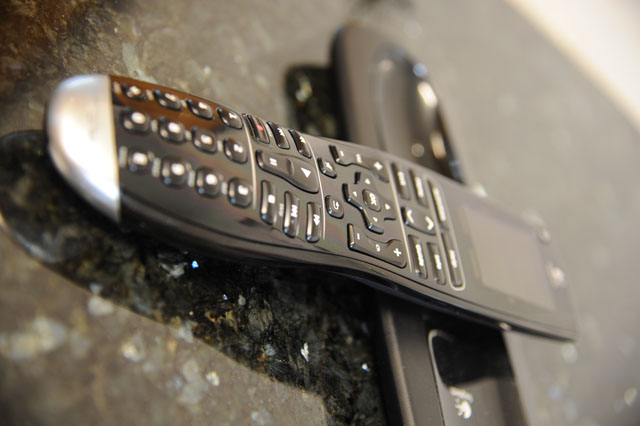
Its design is somewhat large but very ergonomic. Once you have it in your hand, you quickly forget how big it is. The main cause of this size is the LCD touch screen that it incorporates in the upper part of it. It is a really good screen, on which it is very easy to read, and it also has very vivid colors. With it, you will be able to control the different devices in a simple and fast way, but let’s go in parts.
The first thing you should do is install the Harmony Remote Software program on your computer, which works for both Mac and PC, something that is very appreciated. Next, the program will ask you which devices you want to configure, and after several steps, you will be loading everything you have configured on the Harmony One remote using its USB connection at the top.
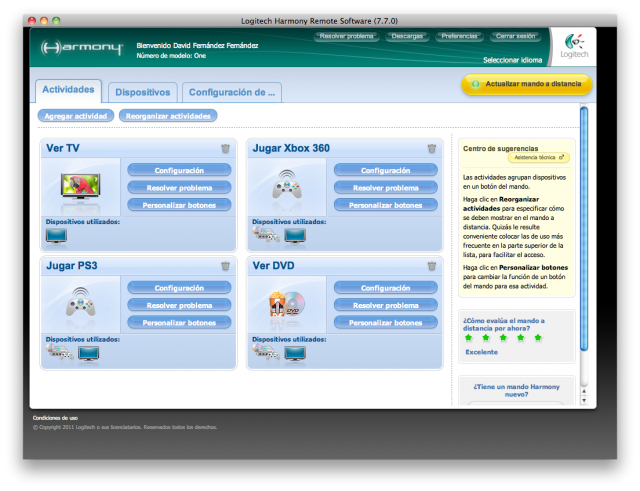
It is very important to note that, apart from the list of devices, the Harmony Remote Software program configures different activities depending on your devices. Let me explain, if, for example, you have a TV, a sound system and an Xbox 360, the program will configure the following activities for you:
- Watch TV: Which will turn on the TV and the sound system and place it in the television input.
- Watch a DVD: Which will turn on the TV, the sound system and the Xbox 360 and place the TV into the Xbox input (for example HDMI 1).
- Play console: Which will turn on the TV, the sound system and the Xbox 360 and place the TV on the Xbox input (for example HDMI 1).
- Listen to CD: Which will turn on the sound system and put it in the CD input.
With this, we will save several control keystrokes, and although it may seem silly, it ends up being very comfortable.
If any function does not work as it should, or we want to redefine a key, the program also allows us to do so without much problem, being able to select the function of each key on the remote control to suit our preferences. We can also regulate, if we have problems, the time that the remote sends a signal, in order to repair small problems such as the volume increasing in pairs.
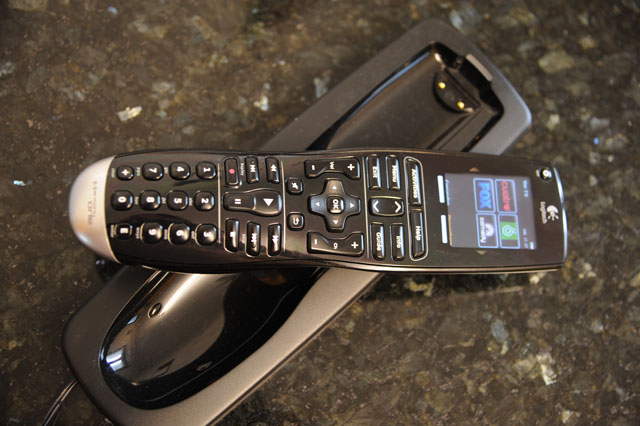
Another important section that I really liked is the possibility of placing our favorite channels on the screen of the remote control, thus always having them at hand. Also, as you can see in the previous image, we can assign an icon to each chain to easily differentiate them.
In short, a great solution that will help us free the table from the overcrowding of controls. Furthermore, after some time to get used to it, it is a great companion since you can do the same things as with your old controls, but faster.
The Good:
- Get rid of the pile of household controls.
- It is very comfortable and ergonomic.
- With the battery, we will not have to worry about batteries anymore.
- Be able to configure activities that turn on several devices, and leave us ready with a single press.
- The touch screen works perfectly and has not given me a single problem.
Bad:
- The price, €180 for a controller, is not something that is affordable for everyone.
- Sometimes, if you move the remote a lot, it does not turn on all the devices and you have to press the help button to send the signal again.
Comments are provided by Disqus. When you load them, Disqus may use cookies and process data such as your IP address.
Disqus privacy policy