
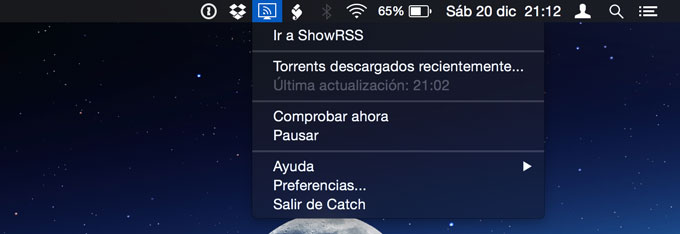
After the disappearance of Pirate Bay, TVShows2, the application to download series automatically on Mac, has stopped working because it obtained torrents from that page. Luckily, there is an alternative that can help us get through until they update the application.
Basically, the solution found is to use ShowRSS to create an RSS channel with our favorite series, then load this RSS from Catch, an application that will periodically check if there are chapters available and if so, will download them using a bittorrent client (In my case Transmission).
In ShowRSS
First of all we must create an account on ShowRSS and then add some series. Only new chapters will appear in the RSS, it seems that it does not work for chapters that have been broadcast a long time ago.
Once we have added the series, we will go to the RSS section and click on “Generate” to create our personal feed:
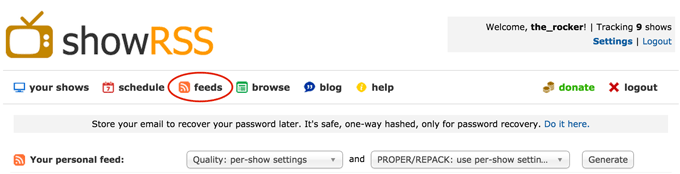
On the next page we must select “Enable namespaces” and “Disable magnets” (So that the download options window does not appear in Transmission every time we add a torrent). Next we will right click on the RSS URL (below) and copy it.

Optional: In Transmission (bittorrent client)
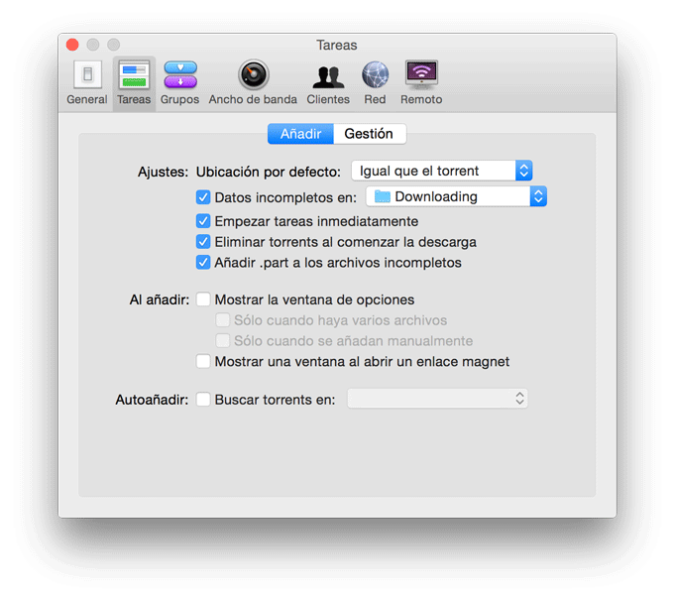
If we do not want the download configuration window to appear every time we add a new torrent and keep the chapters ordered by the name of the series, in the Transmission preferences we must leave the options established as follows.
In Catch
After download Catch from its official page, we will run it and enter the RSS URL that we copied in the previous step. We can also customize the other options to our liking.
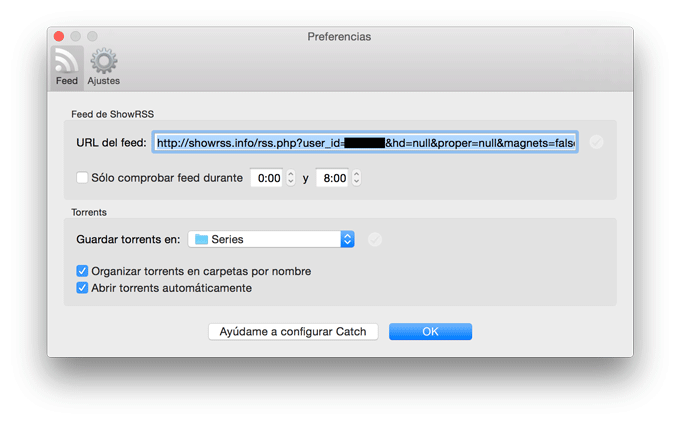
If we check “Organize torrents in folders by name”, folders with the names of the series will be automatically created. Once this is done, we will click on “OK” and if a series is available to download, it will start automatically.
Comments are provided by Disqus. When you load them, Disqus may use cookies and process data such as your IP address.
Disqus privacy policy