
 Cada vez más gente utiliza Google Reader como su lector de RSS. La facilidad de uso y la posibilidad de visitarlo desde cualquier dispositivo conectado a internet (o no) ha decantado la balanza a su favor. No voy a entrar a contar que es un RSS, un lector de RSS ni nada de eso, para eso, ahí está la wikipedia. En lo que me voy a centrar es en cómo tengo configurado Google Reader, y cómo acostumbro a leer los posts.
There are opinions for all tastes on how to view the posts and how to filter them and my procedure may not be the best, but it is how I feel most comfortable, after having tried almost all possible options.
FROM THE COMPUTER:
For the configuration, I have to show me the expanded posts, and for the view of all the entries the newest at the end. I usually read the posts from the screen where the entries from all the sources appear mixed together.
As for the organization of the sources, I have them grouped by theme, especially for those days when I have little time and I want to read from a specific group of sources.
I don’t like to memorize many key combinations, but by using it you see that not using the mouse often helps you focus on reading and not worry about the damn mouse wheel. The ones I use are the following:
- m: Mark the news you are in as read.
- n: Go to the next news.
- space: Go down one page.
- Shift+space: Go back to the previous post or go up one page, if the post is long enough.
- s: Give a star to the post we are reading. I use it for those posts that may interest me. It really is a mixed bag with no possible way out.
- Shift+s: Share the current post with your contacts. One of the strong points is being able to read what your contacts find interesting. Here goes the rss that I generate.
- Be careful with Shit+a: This key combination marks everything as read, with the problems that this can entail.
As a slight off-topic, I recommend Firefox users try Google Redesigned which changes the look of Gmail, Google Calendar and Google Reader.
FROM THE IPHONE:
Although the version of Google Reader for iPhone Safari has improved a lot since I first entered 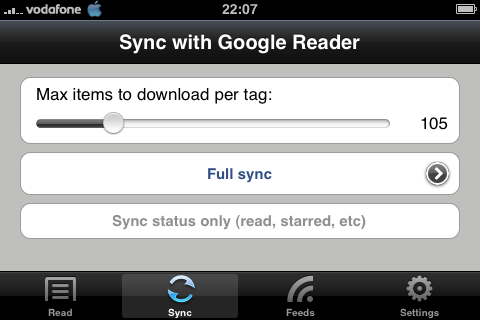 more than a year ago, it is still not very polished, especially when it comes to viewing large images. For this reason and given the possibility of reading posts offline, I have been using GRiS for a long time, a program that requires jailbreak with a very successful interface that makes up for the absence of an internet connection and stores everything you do and then synchronizes again once the connection is recovered.
Comments are provided by Disqus. When you load them, Disqus may use cookies and process data such as your IP address.
Disqus privacy policy