
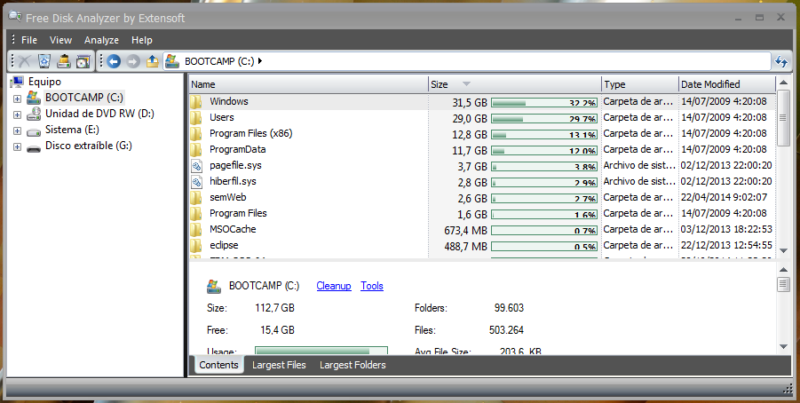
After years or months using the same computer, installing programs, uninstalling them and downloading other files, it is quite common that in the end we do not know what is taking up space on our hard drive. Luckily, there are programs that tell us where the files and folders that take up the most space are.
A few years ago I talked about the solution I use for Mac, which is still valid today: OmmniDiskSweeper. You can find more information in the article I wrote about that one.
Windows also has programs to know what is taking up space on your hard drive and just like on Mac, the best of all is that there are free alternatives. The one I use is called Free Disk Analyzer and its operation is very similar to that of its counterpart for Mac: we select the disk we want to check and it will automatically return the folders and files ordered by size, allowing us to delete them, move them, etc.
These are my solutions, but surely you have others that will be welcome in the comments :)
| Download OmniDiskSweeper (Mac) | Official Page |
|---|
| Download Free Disk Analyzer (Windows) | Official Page |
|---|
Comments are provided by Disqus. When you load them, Disqus may use cookies and process data such as your IP address.
Disqus privacy policy